

- Features
- Shift Schedule
Restaurant shift schedule
Discover how to plan the week, manage roles, and send shifts to staff in one click 🗓️✅
Shifts are not “just a table”: they are organization, team peace of mind, and service that starts without friction. The problem begins when shifts are scattered across spreadsheets, chats, and last-minute changes: time is wasted and confusion is created. With Risto Pilot you will be able to compare shifts with the actual hours in Employee Time Tracking.
With Restaurant staff shift management by Risto Pilot, you build the week flexibly, filtering by department, assigning times and roles, and then you can send a shift notification to those who need to receive it. The result? Clear scheduling, fewer “rapid-fire” messages, and more control in a single dashboard. 🙂
- ✅ Week navigation + quick selection (week input)
- ✅ Department filter: see only people and shifts for the selected team
- ✅ Start/end times and role for each shift (also different by day)
- ✅ Send shift notifications: communicate the week to staff in an orderly way
Restaurant staff shift management: why the Shift Schedule really changes everyone’s work 👥
When the Restaurant Staff Scheduling is clear and up to date, three important things happen: the team knows what to do, you stop chasing people, and service starts with less friction. The Shift Schedule is made for exactly this: giving you a single view that is shareable and easy to edit.
- Fewer mistakes: no forgotten or overlapping shifts in chats.
- Clear roles: it is not enough to be there, you need to know “in what role” you are working.
- More flexibility: a change is made in the dashboard, not in 20 messages.
- Less stress: staff receive orderly and consistent communications.
Staff Shift Management
Configure the week’s shifts quickly and intuitively; send them automatically to each person; all from a single app
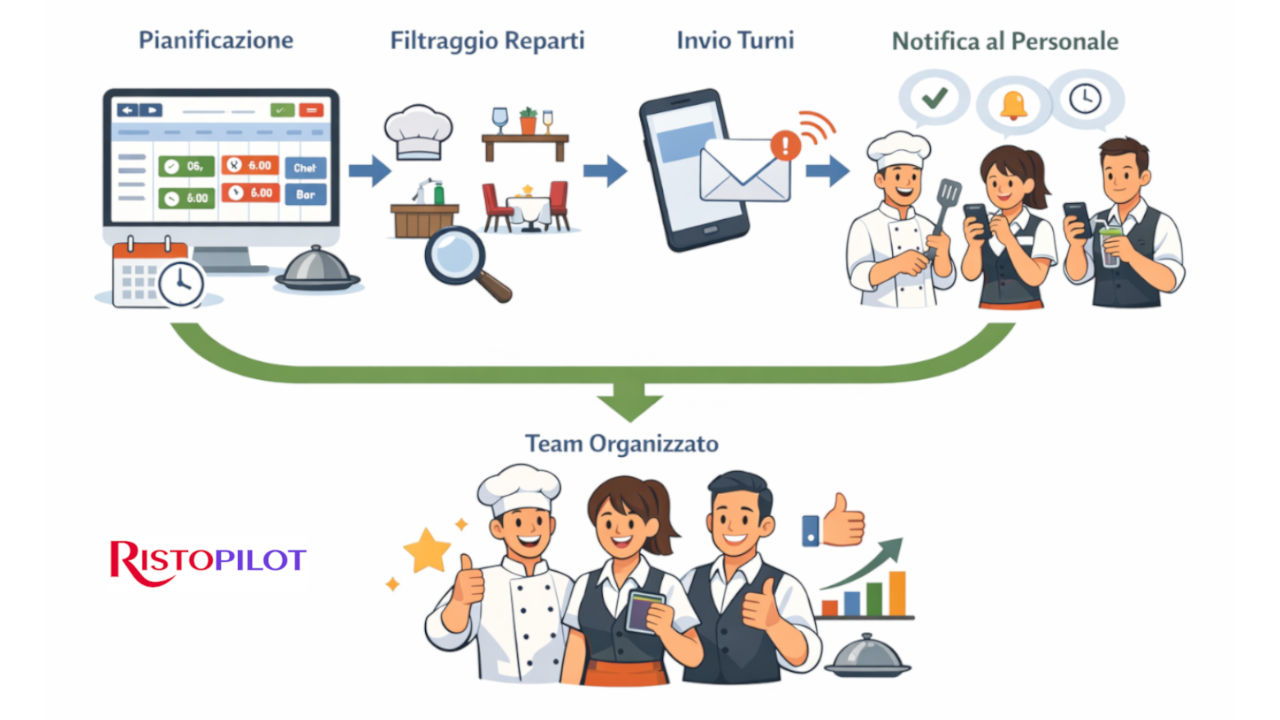
Restaurant Staff Shifts: how to plan the week in the dashboard 📋
The Shift Schedule is designed to be used “on the fly,” even when the venue is busy. At the top you navigate between weeks, in the center you directly choose the week from the input, and when you have completed the planning you can send the shift notification to staff. Everything in a single view, without opening a thousand pages.
Restaurant shift schedule: week navigation and quick planning ⏩
You can move to the previous or next week with the dedicated buttons, or directly select the week from the input. This makes it easy to build scheduling in blocks: week by week, with a repeatable method.
Restaurant Staff Scheduling: filter by department (dining room, kitchen, bar, pizzeria...) 🧩
The department filter (useful for aligning staffing with the dining room flow in Table and Dining Room Management) lets you work more cleanly: you select “Kitchen” or “Dining Room” and see only the people in that department and their shifts. It is useful when you have many employees and want to avoid confusion.
Your restaurant staff shifts: assign times and roles for each day ✅
Each row is an employee, each column is a day of the week. Inside each cell you can configure shift start, shift end and role. This is exactly what makes it useful: the same employee can have different roles on different days, and the schedule remains readable.
Restaurant staff shift management: “Until end of service” when it really matters 🍽️
Not all shifts end at a precise time: there are days when service flows and ends “when it ends.” For this reason, you can also set the shift end as until end of service, while still keeping planning clear.
Restaurant shift schedule: send shifts to staff with a notification (without chasing anyone) 📩
Once the week is complete, you can use the Send shift notification via WhatsApp and Email button. For holidays, deadlines, and operational activities, you can also rely on the Calendar with reminders. It is a simple step, but it makes the difference: instead of rewriting times and changes in chat, you communicate shifts in an orderly and consistent way only to those who need to receive them.
Restaurant Staff Shifts: more clarity for the team, fewer pings for you 🔕
When staff receive shifts clearly, the “can you confirm?”, “what time do I start?”, “what role am I doing?” messages decrease. It is a small benefit every day, but huge over the month: fewer interruptions and more time for service and management.
Restaurant shift schedule + timesheet: planning and actual hours work together 📊
The Shift Schedule is the “planning” part. The timesheet (hours register) is the “actual hours” part (timesheet - hours register). When you use both, you get a practical advantage: you plan work more cleanly and then check the actual hours worked without having to reconstruct anything at the end of the month.
It is a simple way to keep organization and control together: less improvisation and more useful data for making decisions (which you can then read clearly in Statistics).
Related Modules 🔗
The restaurant staff Shift Schedule makes team organization really simple when it is connected to actual attendance, the dining room flow, reminders, and reports. The result: shifts more consistent with covers, less chaos, and more control. If you want quick suggestions on costs and staffing, you can always ask the AI Assistant
Restaurant staff shift management: try it now (limited tests) 🚀
Do you want to see the restaurant Shift Schedule live with department filters, roles per shift, weekly navigation, and sending notifications to staff? Test the suite now: available trial versions are limited.
Clearer shifts, a more serene team, more stable service. 🍽️